ASP.NET, EF6 CodeFirst access MariaDB
I used vs2019 for the first time to develop asp.net Web program, in which I used EF6+CodeFirst to access MySQL database. I encountered some troubles during this period, so I would like to describe the steps of my work.
-
Establish a .net web application project with vs2019.
-
Use Nuget to install the following packages in the project:
EntityFramework 6.5.1
EntityFramework.CodeFirst 1.0.7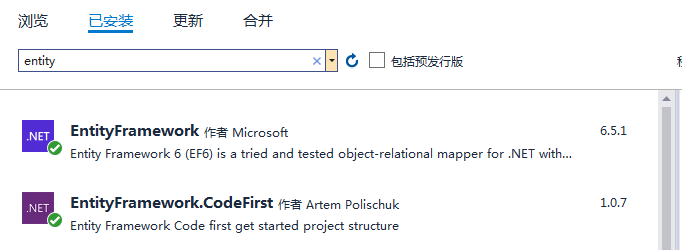
-
The test, establishment and operation with Microsoft SQL database are all good. The following is the connection string for the test:
<connectionStrings>
  <add name="MyDB" connectionString="Data Source=(LocalDB)\MSSQLLocalDB;Initial Catalog=MyDB;AttachDbFilename=|DataDirectory|\MyDB.mdf;Integrated Security=True" providerName="System.Data.SqlClient" />
</connectionStrings>
-
Download and install mysql-5.7.31
-
Use Nuget to install the following packages supporting MySQL database in the project:
MySql.Data 6.8.8
MySql.Data.Entity 6.10.9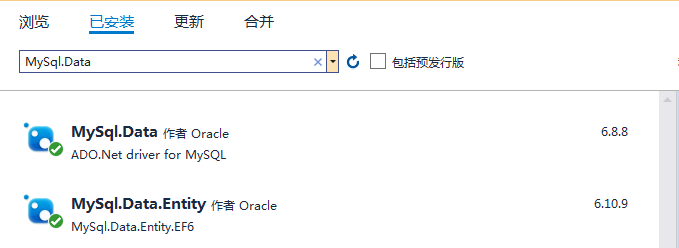
-
Test access to MySQL database. The .NET code remains unchanged, and the establishment and operation work well. The connection string for the test is as follows:
<connectionStrings>
  <add name="MyDB" connectionString="server=localhost;port=3306;database=MyDB;user=root;password=******;" providerName="MySql.Data.MySqlClient" />
</connectionStrings>
So far, accessing the local database (MS SQL, MySQL) is all right. So the project was released to the virtual host for testing, and the connection to MySQL failed. Because the virtual host does not have a MySQL server installed locally, it uses a remote MySQL server.
- Change the connection string as follows:
<connectionStrings>
  <add name="MyDB" connectionString="server=mysql.remotehost.com;port=3306;database=MyDB;user=myid;password=mypassword;" providerName="MySql.Data.MySqlClient" />
</connectionStrings>
The test results still failed. Query the remote MySQL server version as: 11.4.7-MariaDB-deb12.
- Download and install MariaDB-10.1.48 locally (the local computer is WIN32, which is the highest version found under WIN32), and the local testing work is very good.
The test of connecting to the remote MySQL server on the local computer still failed. According to the error prompt, it seems that there are some problems in communication compatibility between. NET code and remote MySQL server.
-
Uninstall the previously installed MySQL database package:
MySql.Data 6.8.8
MySql.Data.Entity 6.10.9 -
Improve the .NET target framework of the project, and install the following packages in the project with Nuget:
MySql.Data.EntityFramework 9.4.0
Nuget automatically installs the packages it depends on, including MySql.Data 9.4.0.
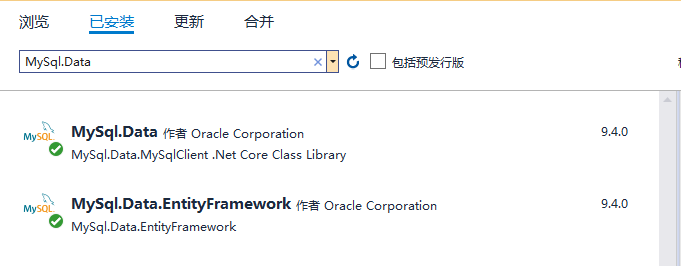
Continue to test the connection to the remote MySQL server on the local computer, and the connection is successful.
Publishing the project to the virtual host for testing also succeeded.